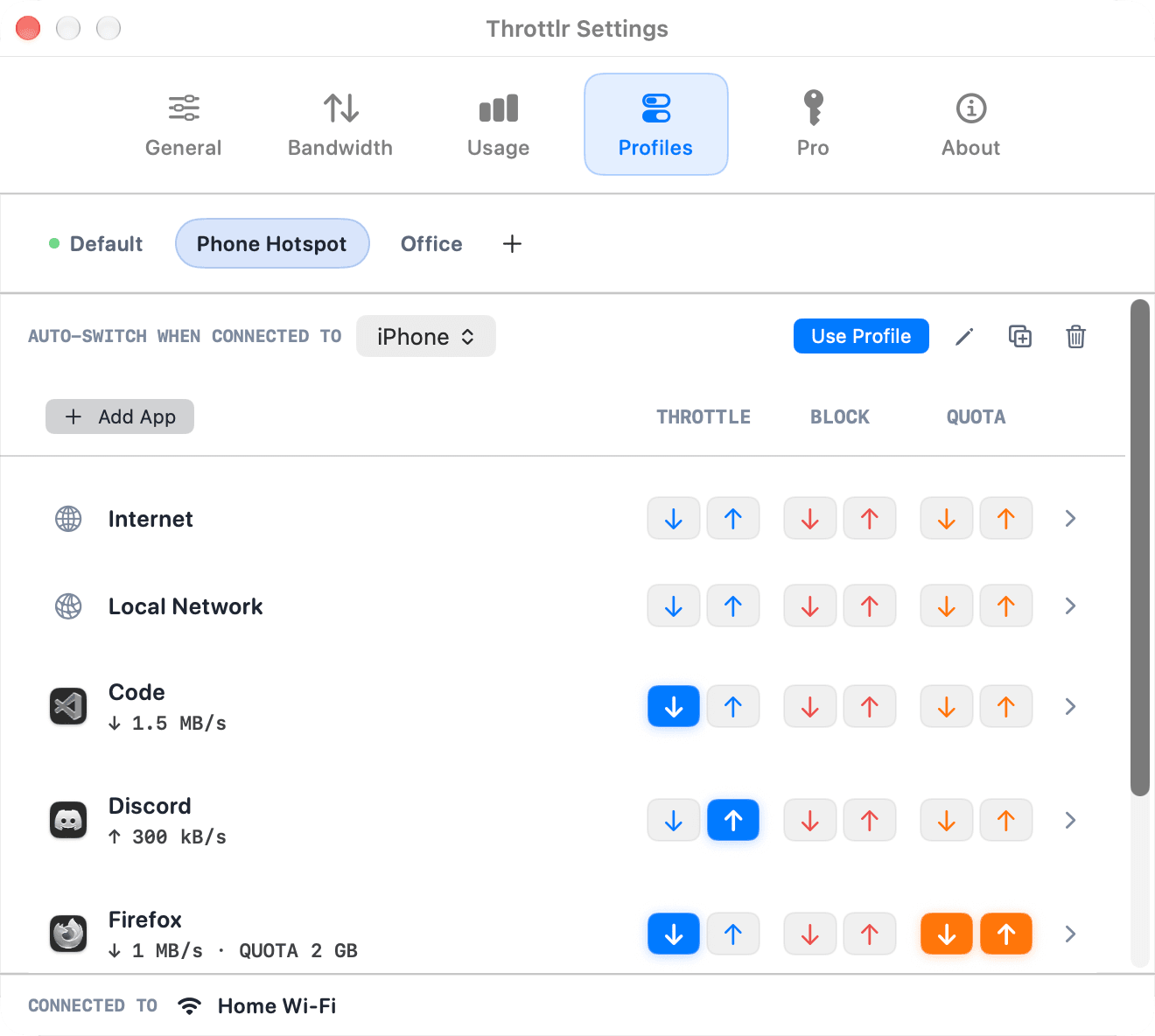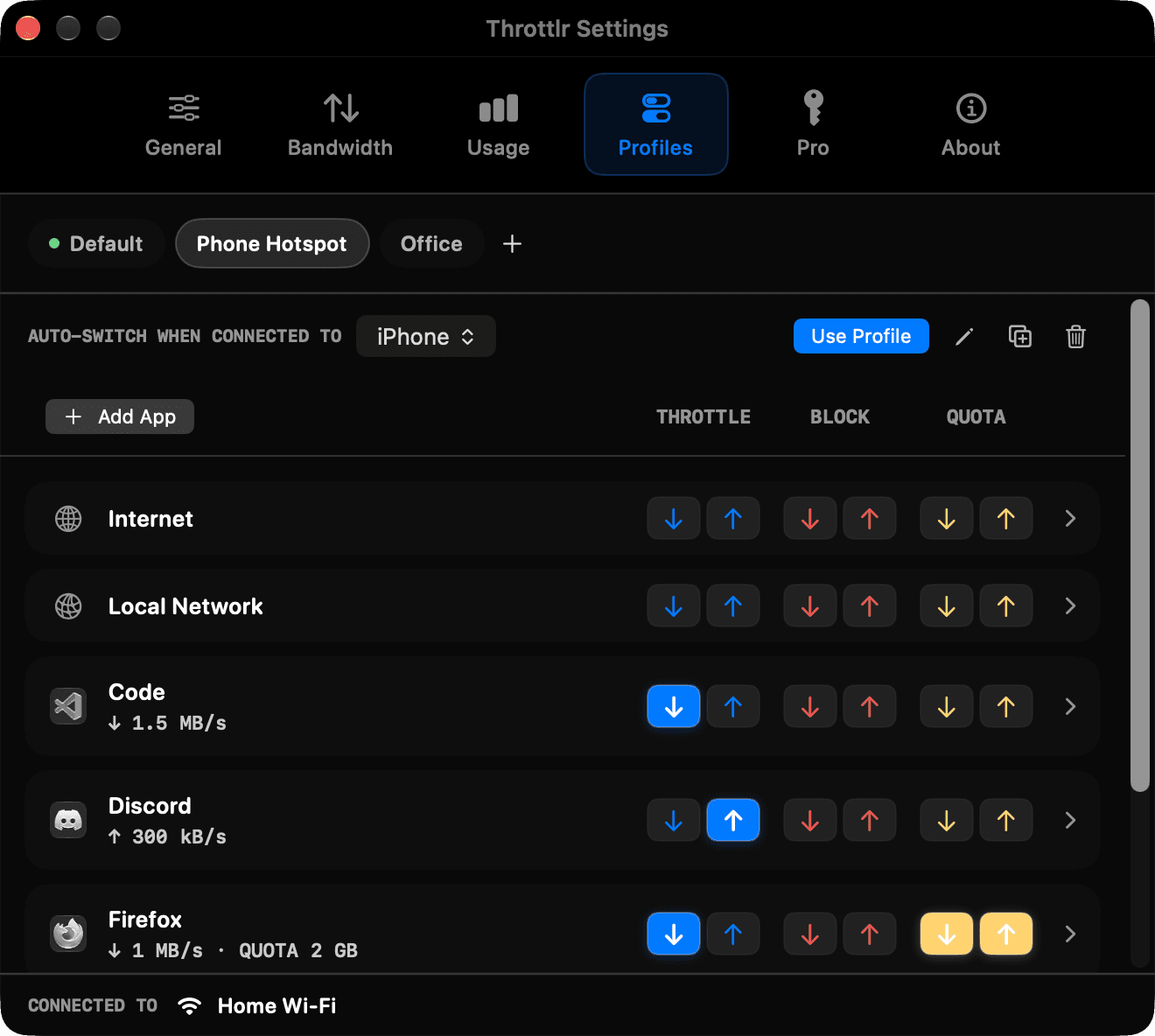
New in 1.7: network profiles

Throttlr is the simple way to limit app bandwidth.

Cap speed, set data quotas, or block traffic per app on macOS. Test slow networks, calm background sync, and keep calls smooth.

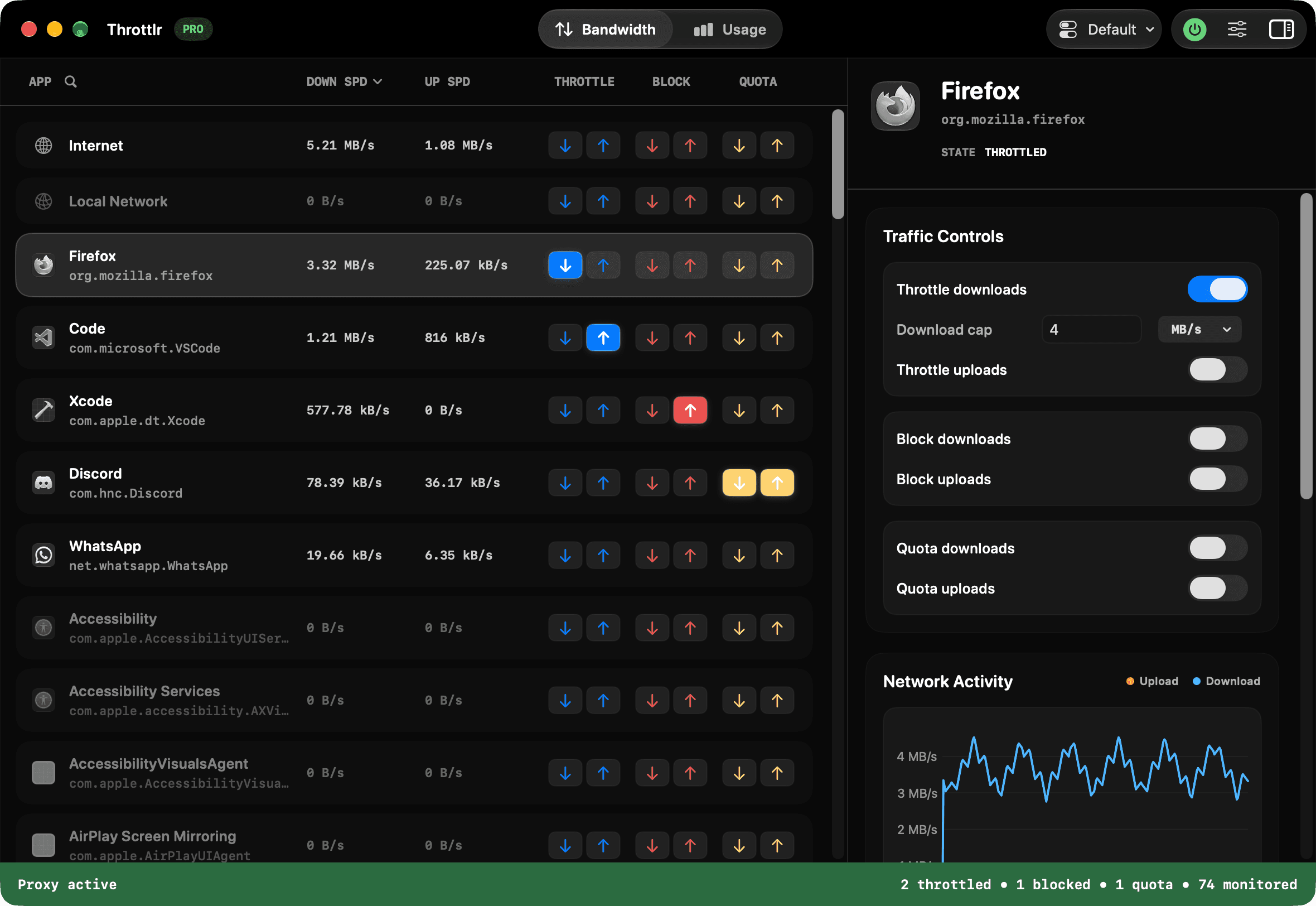
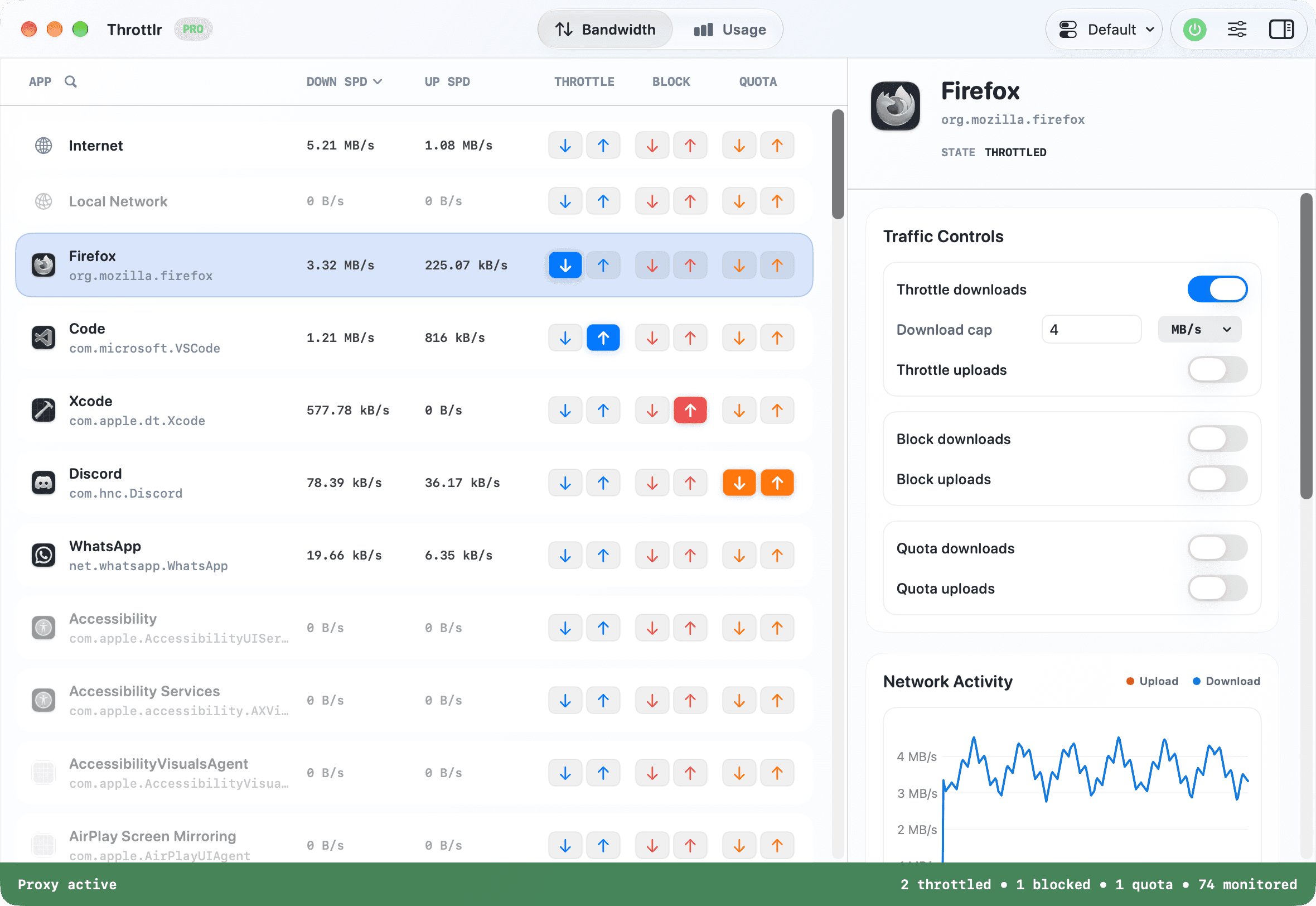
Throttlr dashboard showing per-app upload and download bandwidth controls on macOS

Bandwidth control, without the guesswork

Your connection, working on your terms.

01

Give every app its own speed limit

Set separate upload and download caps for any app or the whole system. Shape Internet and local-network traffic independently, so a cloud backup can slow down without affecting your call or local devices.

Learn how to use a per-app bandwidth limiter for macOS
03

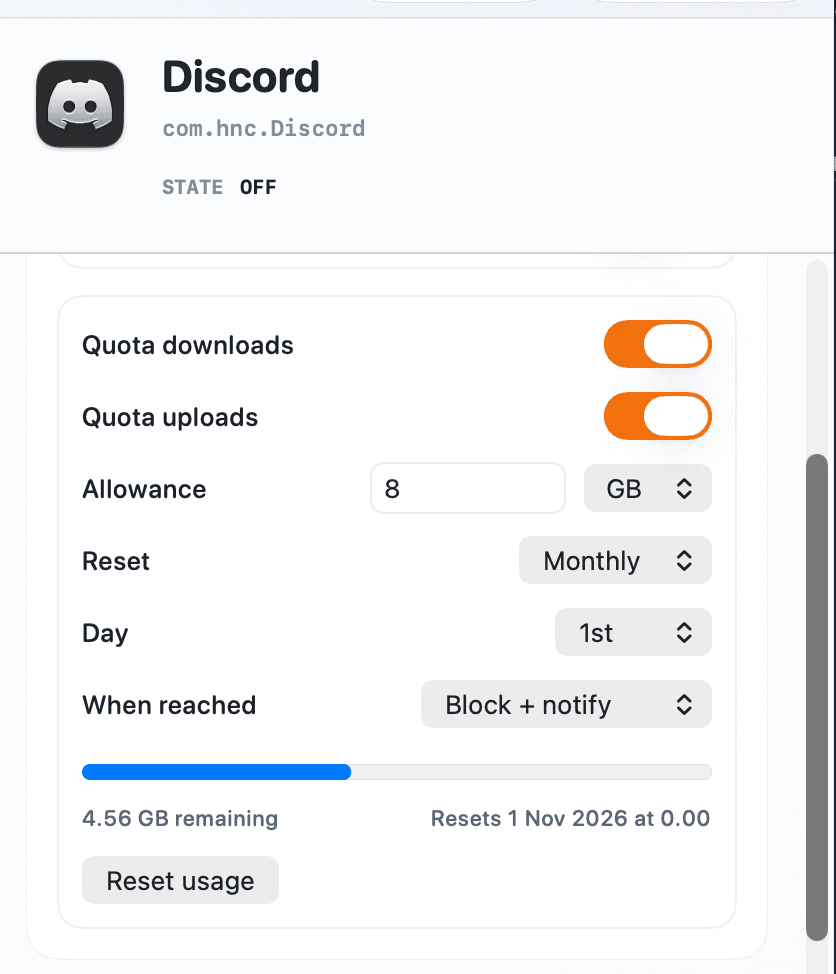
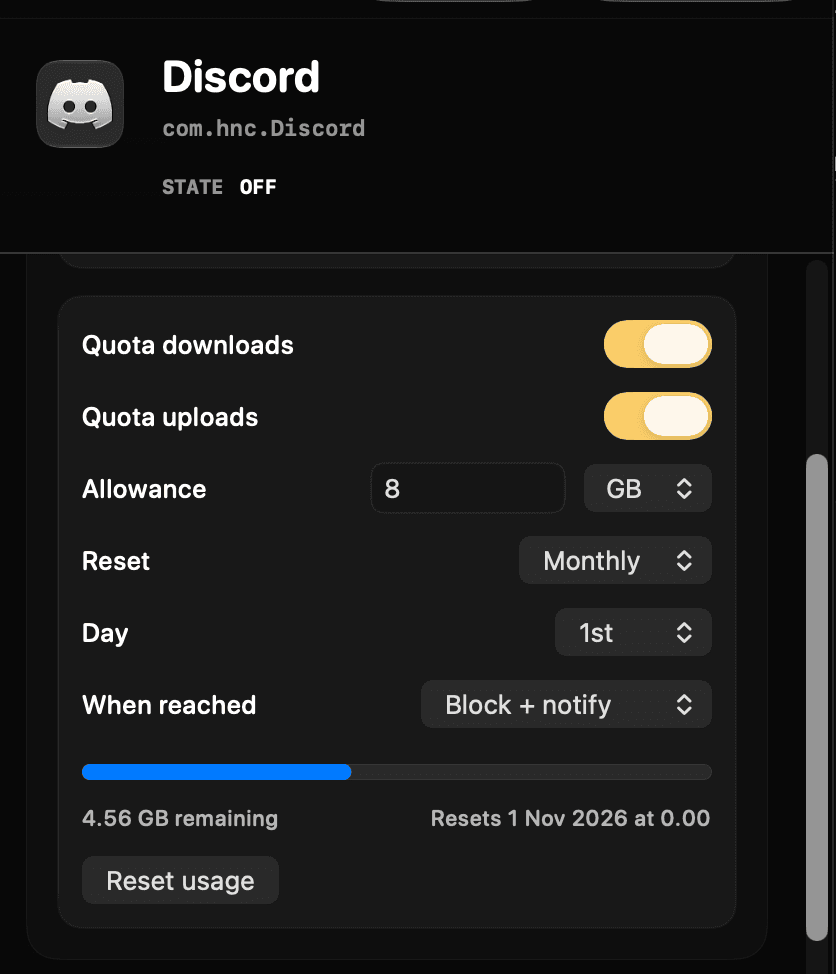
Set data quotas that reset on your schedule

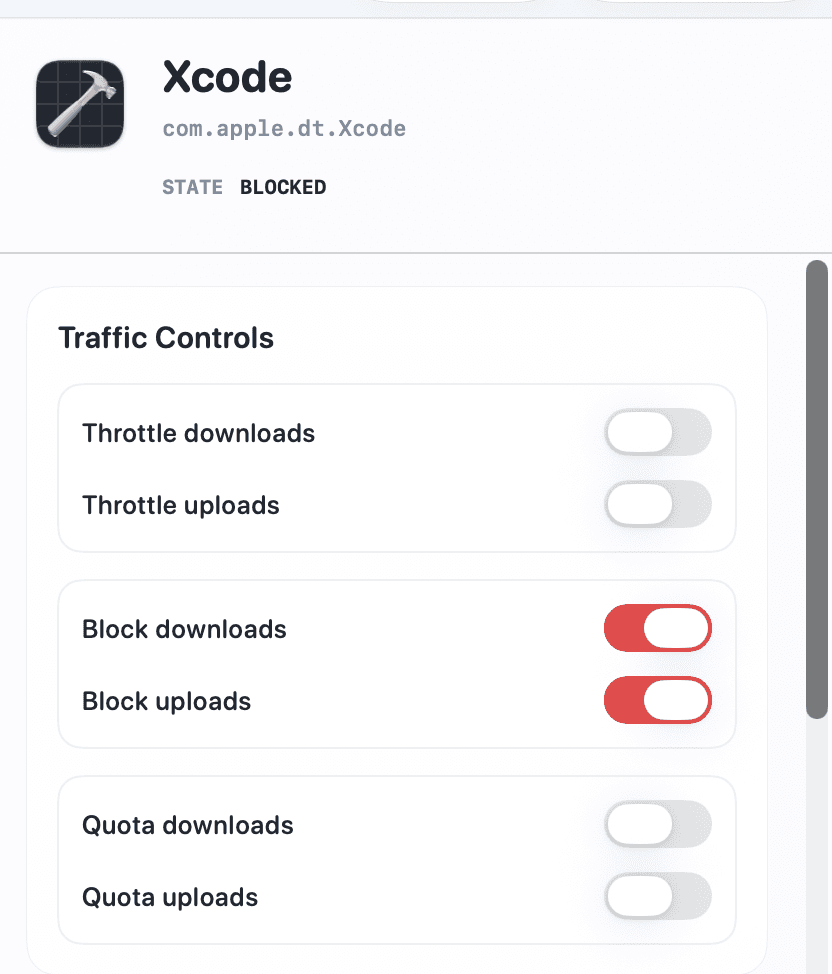
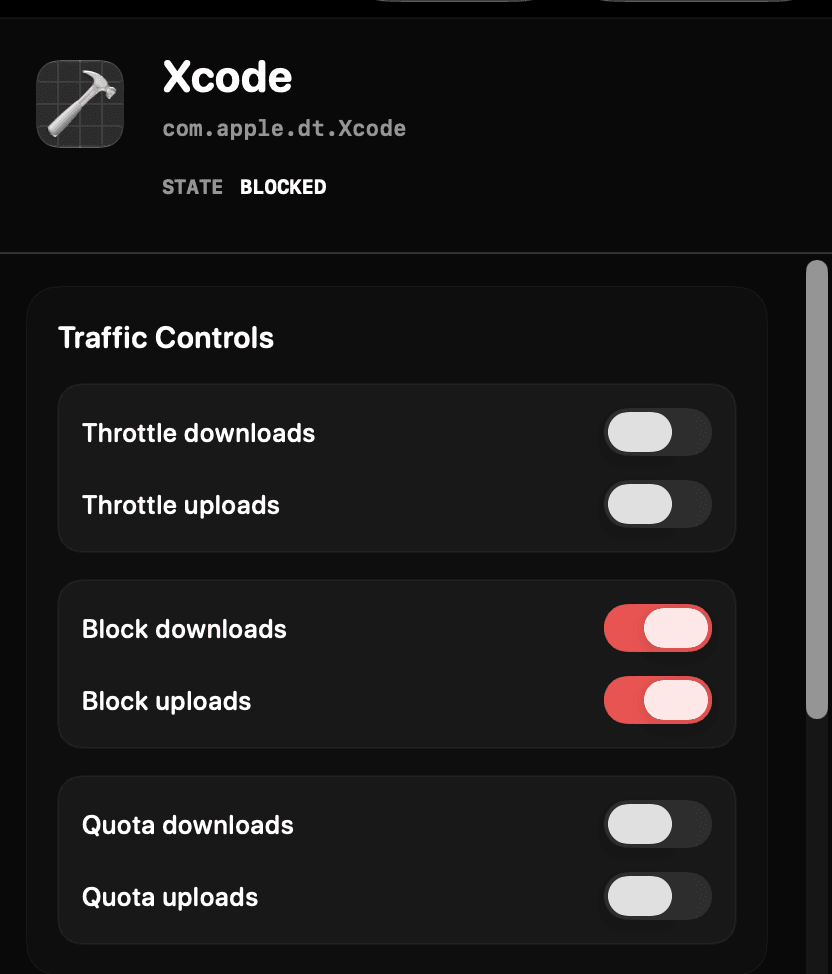
Set a data allowance for uploads, downloads, or both on any app. When it is reached, block traffic or switch to a slower speed with optional automatic resets.

Learn how to set a per-app data quota
04

Different rules for every network

Keep one set of limits for home Wi-Fi and another for your phone hotspot. Throttlr switches profiles when your Mac changes networks, and each profile tracks its own quota.

Read about network profiles in Throttlr 1.7
05

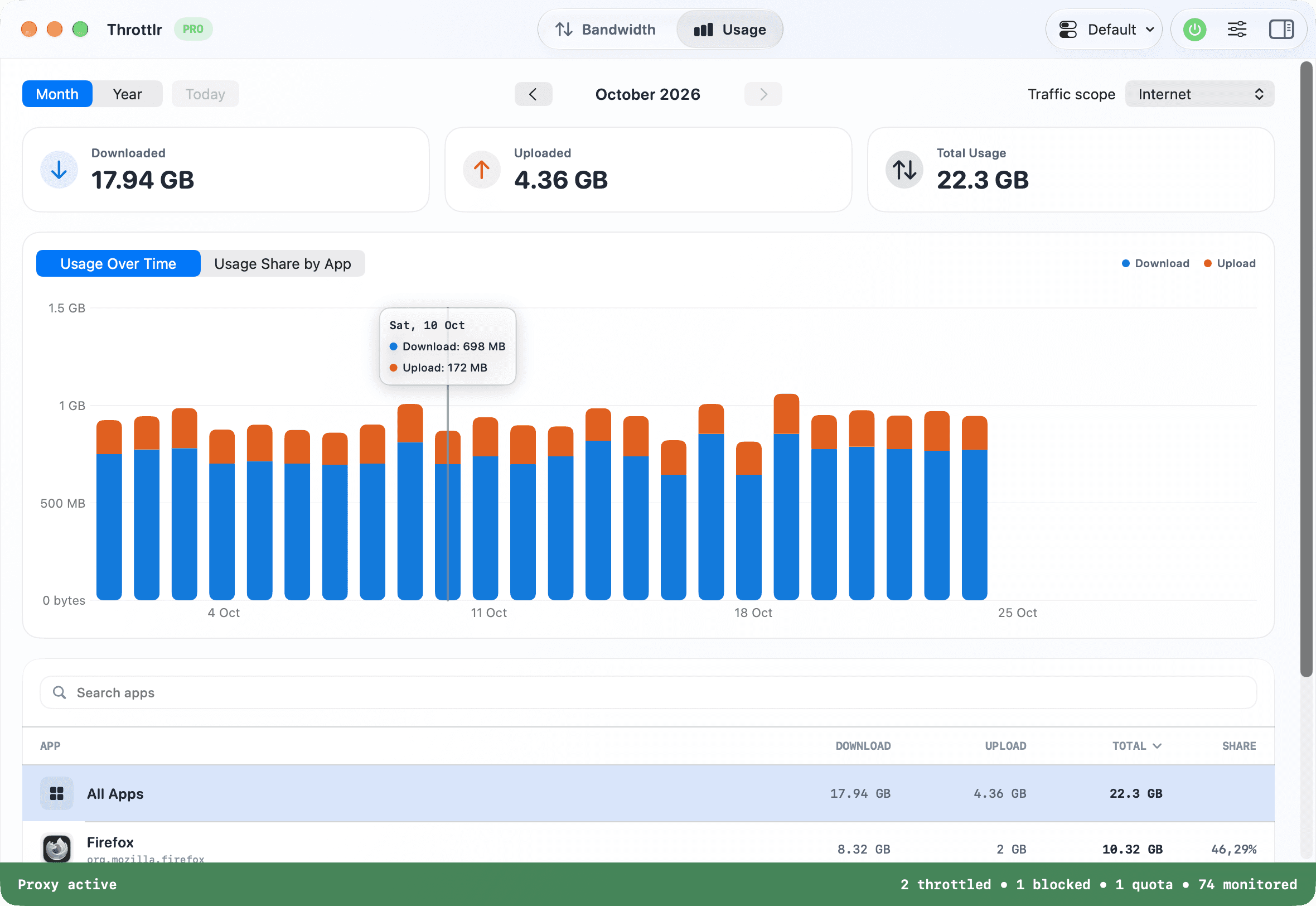
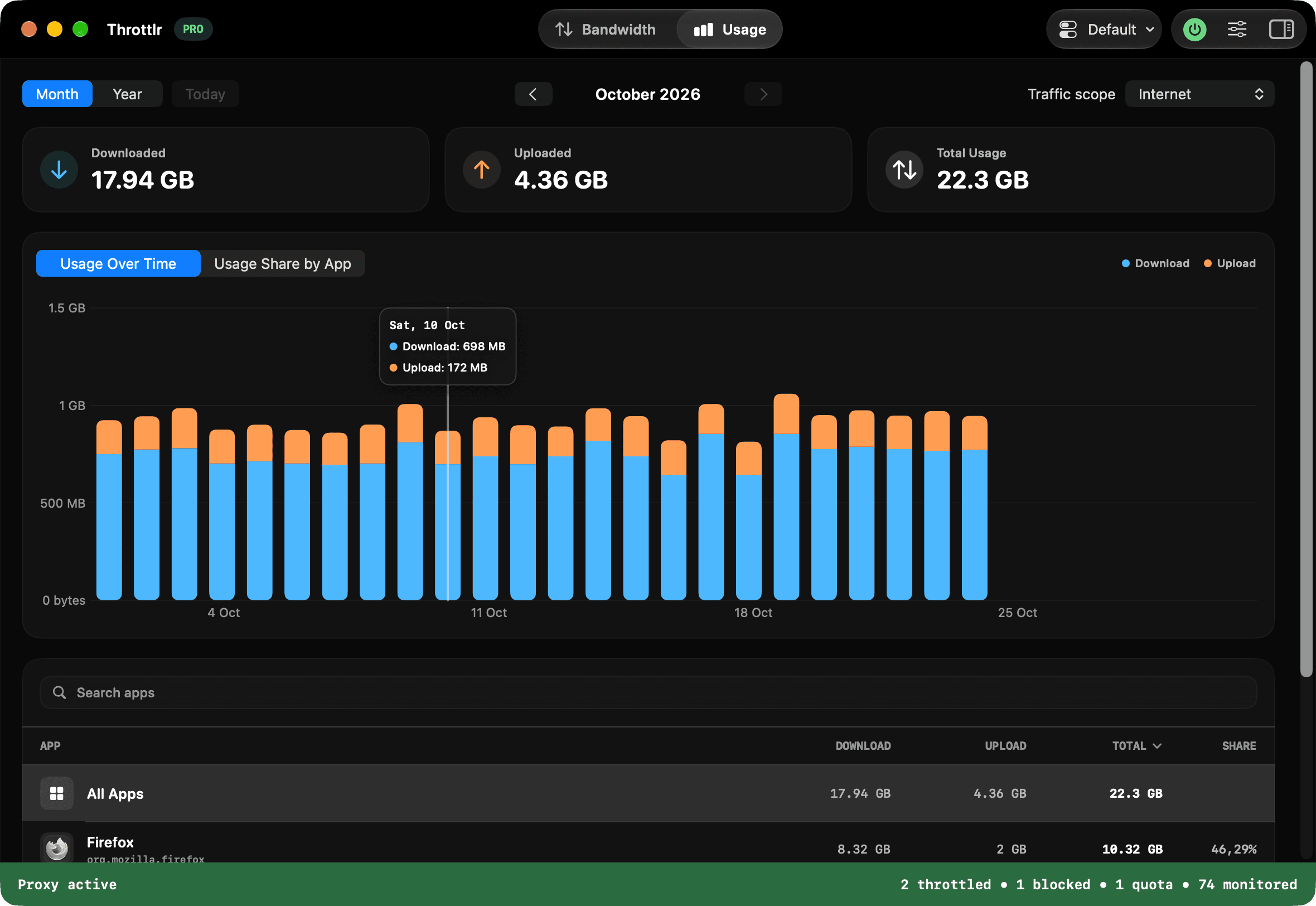
Keep track of data usage over time

Review monthly and yearly upload and download totals, compare usage by app, and filter Internet or local-network traffic. Your history stays on your Mac.

Read about usage history in Throttlr 1.5
06

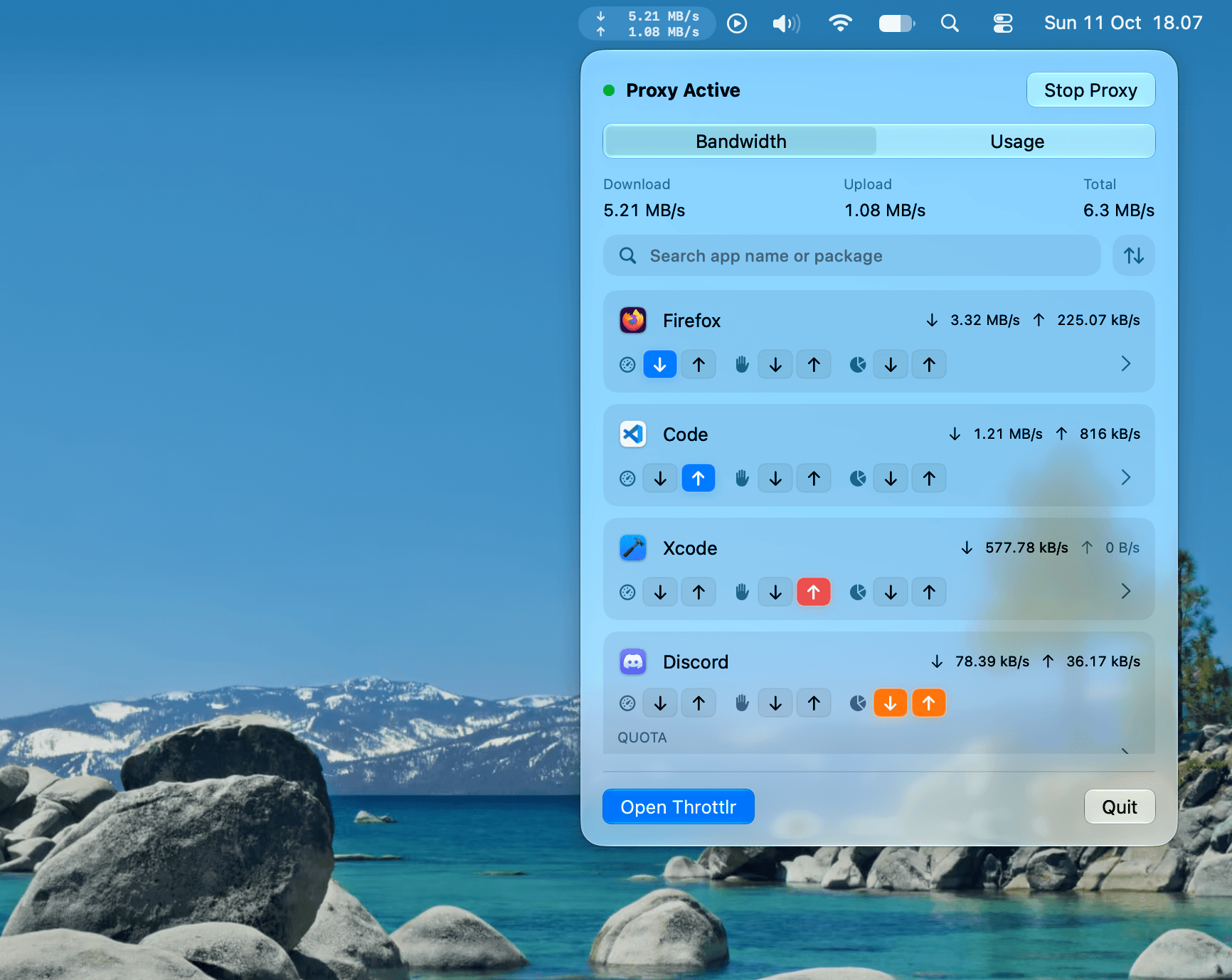
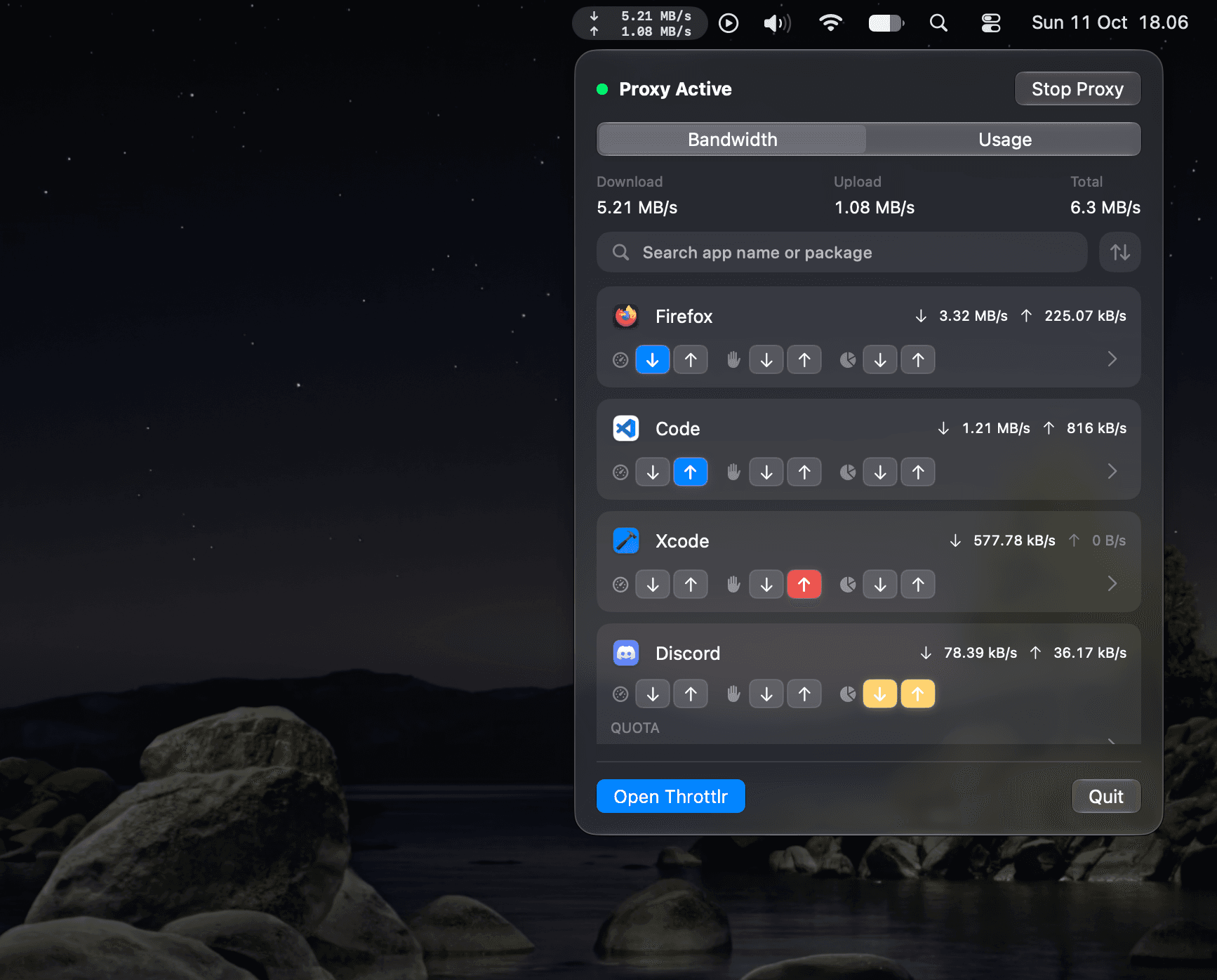
Manage apps from the menu bar

Check live speeds, search for an app, and throttle, block, or set a quota without opening the main window. The Usage tab shows which apps used the most data today, this week, or this month.

Read about the menu bar dashboard in Throttlr 1.6
07

Your usage stats never leave your Mac

Throttlr processes traffic on your Mac, and your usage history and per-app statistics stay there. The app has no analytics or tracking.

Read the Throttlr privacy policy

Simple pricing for bandwidth control.

Choose an affordable plan for controlling your streams, calls, games, and the background apps that eat too much bandwidth.

The Mac App Store version has the same plans and prices, shown in your local currency. License keys and the no-card trial apply to the direct download; App Store purchases use your Apple Account.

Free

Monitor every app and control one for free

$
0
/ forever
Start free
  • Per-app traffic monitoring
  • Daily usage history by app, with monthly and yearly views
  • Live download and upload speeds in the menu bar
  • Throttle, block, or set a data quota on one app at 1 MB/s and 1 GB
  • 14-day Pro trial on every new Mac, no sign-up or credit card required.*

Monthly

A flexible plan for short term use and occasional testing

$
1.99
/ month
Subscribe
  • Per-app traffic monitoring
  • Daily usage history by app, with monthly and yearly views
  • Live download and upload speeds in the menu bar
  • Throttle download and upload per app and system
  • Block downloads and uploads per app and system
  • Set upload, download, or combined data quotas per app and system
  • Rules for every app, with your own speed limits and quota allowances
  • Network profiles that switch rules automatically when your network changes
  • Use one license key on up to 2 Macs
  • All future updates included

Yearly

The best plan if you want to avoid permanent commitment

$
14.99
/ year
Choose yearly
  • Per-app traffic monitoring
  • Daily usage history by app, with monthly and yearly views
  • Live download and upload speeds in the menu bar
  • Throttle download and upload per app and system
  • Block downloads and uploads per app and system
  • Set upload, download, or combined data quotas per app and system
  • Rules for every app, with your own speed limits and quota allowances
  • Network profiles that switch rules automatically when your network changes
  • Use one license key on up to 2 Macs
  • All future updates included

Lifetime

Lifetime Throttlr Pro license with one early-bird purchase

Most popular
$
34.99
$49.99
Get lifetime
  • Per-app traffic monitoring
  • Daily usage history by app, with monthly and yearly views
  • Live download and upload speeds in the menu bar
  • Throttle download and upload per app and system
  • Block downloads and uploads per app and system
  • Set upload, download, or combined data quotas per app and system
  • Rules for every app, with your own speed limits and quota allowances
  • Network profiles that switch rules automatically when your network changes
  • Use one license key on up to 2 Macs
  • All future updates included
  • One-time purchase, no subscription
  • Early-bird pricing until Dec 31, 2026

* Direct download only. In the Mac App Store version, the 14-day trial is a free introductory offer when you subscribe to Monthly or Yearly in the app, and the subscription renews unless you cancel.

Throttlr logo

Stop letting one app take the whole connection.

Start your 14-day Pro trial. No credit card required.